Free Chrome extension · No registration
Transcribe YouTube videos without captions
Get a transcript from the video's spoken audio, even when YouTube has no captions. Read timestamped text in Chrome as the video plays.
Add to Chrome52 transcription languages, detected automatically. Chrome 141+.
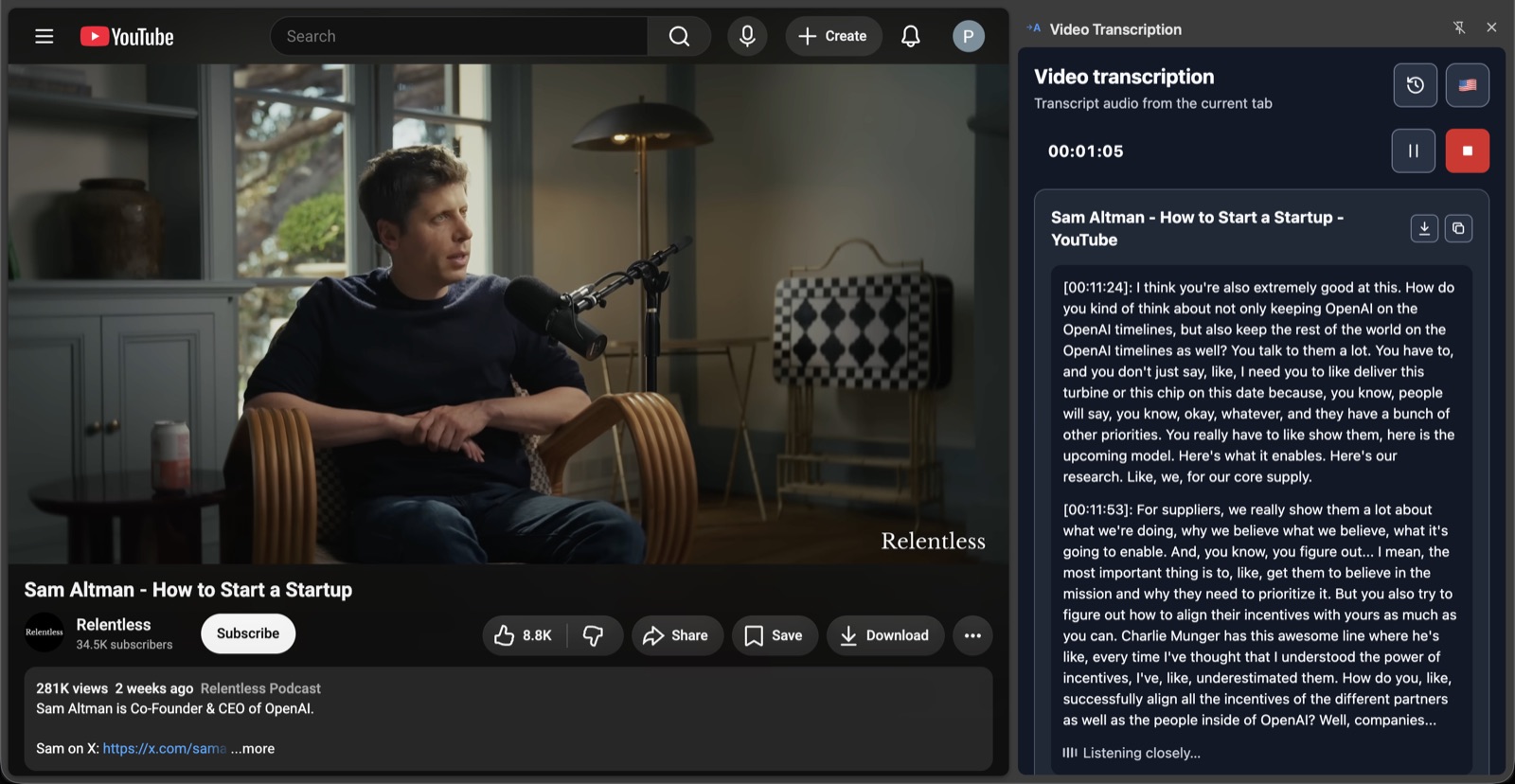
No captions or transcript available on YouTube?
Video Transcription creates text from the speech playing in your Chrome tab. It does not need a subtitle track, uploaded captions or YouTube's automatic captions.
Open the video, start playback and record from the extension's side panel. The transcript builds as you listen, with timestamps you can use to revisit a passage.
How to transcribe a YouTube video
-
Add the extension to Chrome
Open Video Transcription in the Chrome Web Store and select “Add to Chrome.”
Add to Chrome -
Play your YouTube video
Open the YouTube video in Chrome and play it from the point you want to transcribe. Captions do not need to be available or enabled.
-
Start transcription
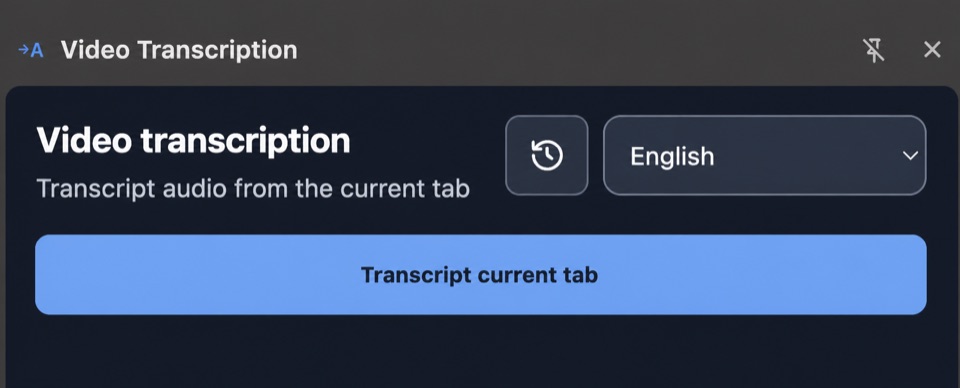
Open the extension side panel and select “Transcript current tab.” Keep the video playing as timestamped text appears.
Keep the words from a lecture, interview or tutorial
Save a lecture for revision, find a quote from an interview or keep the explanation from a tutorial. Completed transcripts stay in your local Chrome history.
Copy the text or export it as Markdown or TXT, with or without timestamps. You can use it in your notes without downloading the video first.
Studying from video? See how to transcribe online courses and lectures, or explore more ways to transcribe browser audio.
YouTube transcription FAQ
Can I transcribe a video with no captions?
Yes. Video Transcription recognizes the spoken audio playing in your tab. YouTube captions and the built-in transcript are not required.
Is it free, and do I need an account?
It is free to use. Add the extension to Chrome and start transcription without registering or signing in.
Do I need to play the whole video?
The extension transcribes the audio you play while recording. To capture the full video, start at the beginning and keep it playing. For a shorter passage, start and stop around the part you need.
Which languages does it support?
It supports 52 transcription languages and detects the spoken language automatically. You do not need to select a language before starting.
Can I save a transcript with timestamps?
Yes. Copy or export the transcript as Markdown or plain text, with or without timestamps. Completed transcripts are also saved in your local Chrome history.
Get the transcript from your next YouTube video
Install Video Transcription, open the video and start recording from the Chrome side panel.
Add to Chrome